
Layered paper scene
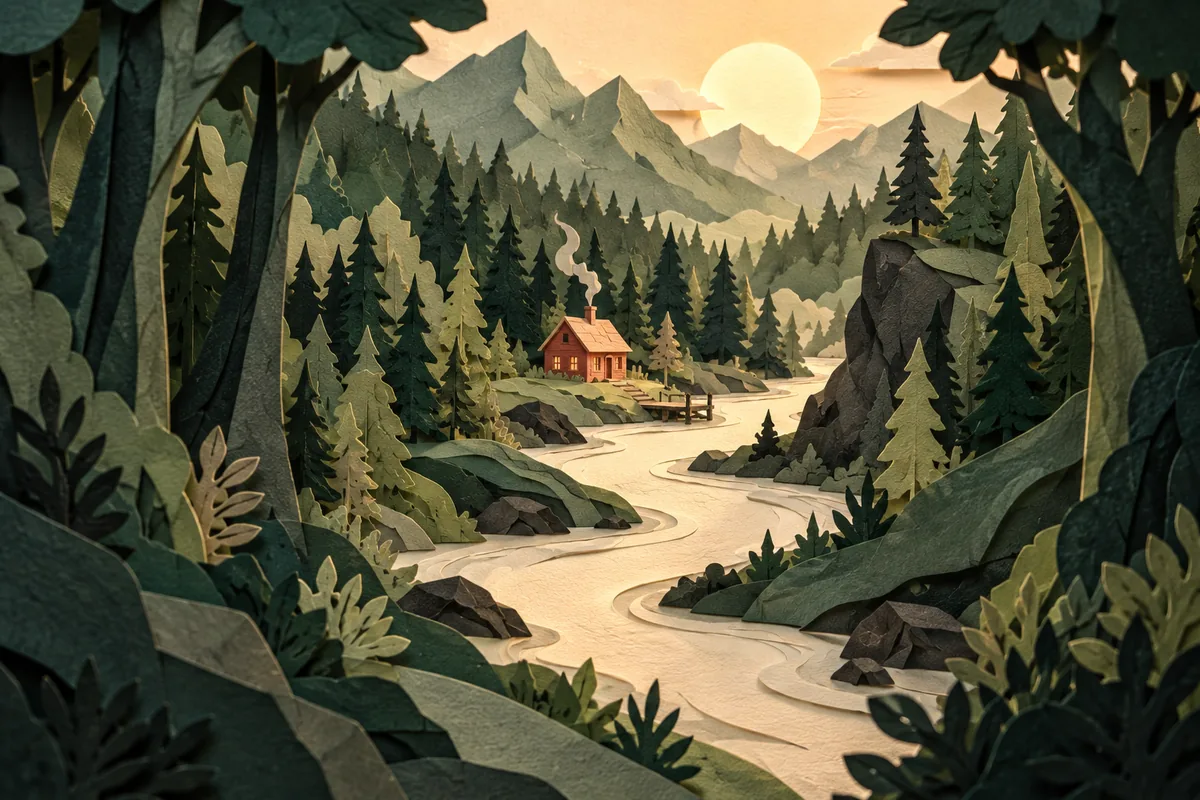
A paper sculpture of a green forest with a winding cream river. Tall trees frame the left and right edges, a small coral cabin sits in the center, warm light reveals the layered paper texture.
Generate and edit images with FLUX.3 Image Klein. Use detailed scene descriptions and keep prompt upsampling enabled for short requests. Free use is subject to Hugging Face GPU quotas.
FLUX.3 Image Klein is a Black Forest Labs model for text-to-image generation, reference-based editing and image composition. Its image transformer has 5.6 billion parameters, separate from its text encoder.
The official demo includes generation and editing workflows, reference inputs and a layout interface using bounding boxes. Boxes guide placement and size; they are not pixel-exact editing masks.
The model expects detailed scene captions. Black Forest Labs recommends prompt upsampling when starting from short requests. The distilled checkpoint uses 16 steps, and its FLUX Kommunity License has its own conditions for model and output use.
Start with a text-to-image request or use the image-editing workflow for a reference. Follow any Hugging Face sign-in request.
Include subject placement, background, light and style. Keep prompt upsampling enabled for a short prompt; start with the default 16 steps.
Use Run or Generate in the selected workflow. Review the output before downloading or applying another edit. The box workflow can guide object placement.
Copy an example into the prompt field, then change the subject, colors or style to fit your request.
A paper sculpture of a green forest with a winding cream river. Tall trees frame the left and right edges, a small coral cabin sits in the center, warm light reveals the layered paper texture.
A cream ceramic bowl sits on the left of a pale stone table. A tall translucent green glass vase stands on the right. Soft morning light enters from the left, with a plain warm gray wall behind them.
Keep the objects and viewpoint in the reference image. Replace the background with a softly lit greenhouse, with green leaves behind the subject and natural daylight from above.
Inputs, generation settings, account requirements and troubleshooting.
The public demo can be used within its Hugging Face GPU allowance. Free use is limited by the hosting provider’s quotas and shared capacity; it is not unlimited. Image Toolkit does not sell credits for this embedded tool.
FLUX.3 Image Klein expects full scene captions. The developer recommends expanding short requests with a prompt upsampler instead of sending only a few words.
They guide the position and scale of elements in the image. They do not guarantee exact pixel boundaries, so check the generated layout.
No. The hosted allowance and model licensing are different. FLUX.3 Image Klein uses the FLUX Kommunity License; consult the linked model documentation and license for your intended use.
No Image Toolkit account or API key is needed to open the tool. Hugging Face may require sign-in to generate images and controls the available GPU allowance. Follow the access message inside the demo.
The Space may be starting, busy or temporarily unavailable, or your GPU allowance may be exhausted. Check the message inside the tool. Select Reload if the frame is blank; wait for the provider’s quota reset if your allowance has run out.
They are sent to the black-forest-labs/flux-3-image-klein Space on Hugging Face. The host’s processing and retention rules apply. This tool does not process your inputs locally in your browser.
Browse all free AI image tools