
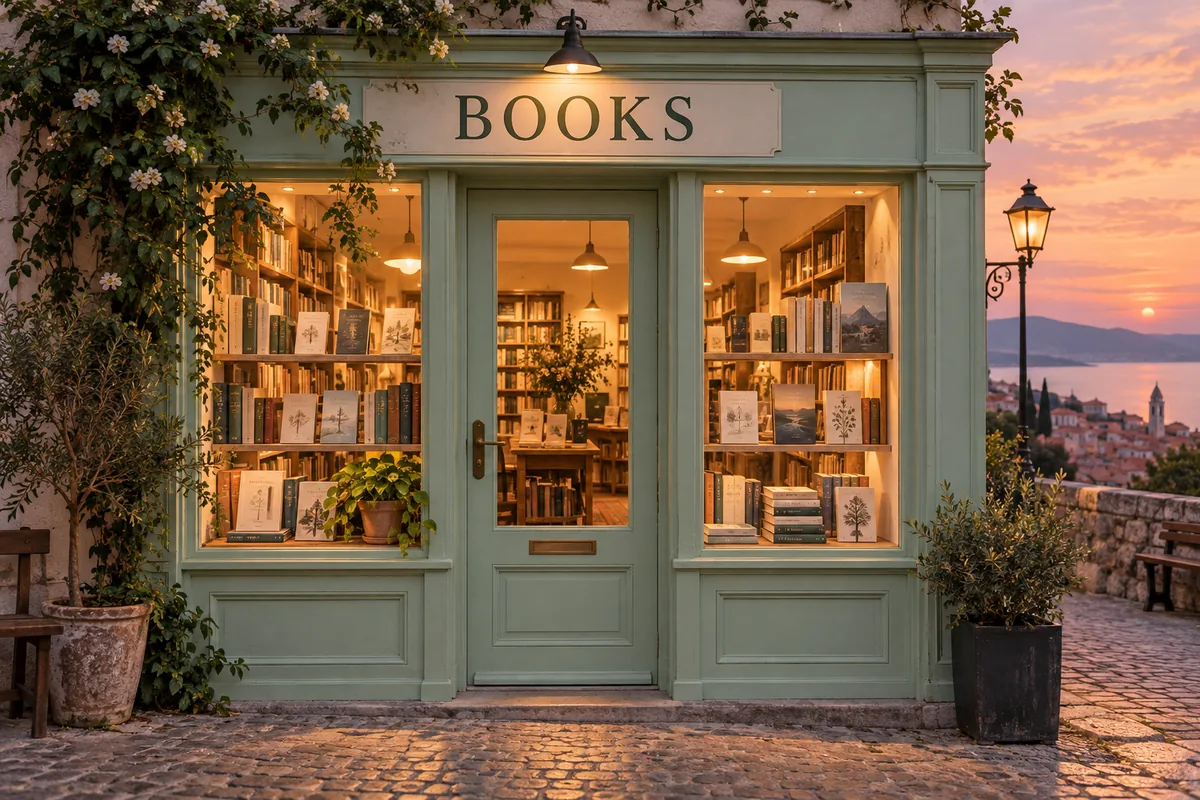
Bookshop sign
A sage green bookshop at dusk, warm light glowing through the windows, a clear sign above the door reading "BOOKS", realistic street photograph.
Generate images and text-based designs with Qwen Image. Enter a prompt and select an aspect ratio in the official demo. Free use is subject to Hugging Face GPU quotas.
Qwen Image is a 20-billion-parameter image-generation model from the Qwen team. Its capabilities include rendering English and Chinese text within scenes, such as posters, shop signs and illustrated layouts.
The embedded Qwen demo creates images from text. It offers aspect-ratio selection, Prompt Enhance, a seed, guidance and inference steps. This is the original Qwen Image demo; image editing is available on the separate Qwen Image Edit page.
For a design containing words, specify the exact text and where it belongs. Keep a clear hierarchy between the main subject and the lettering, and proofread the resulting image before publishing it.
Describe the visual layout and place requested lettering in quotation marks. Keep the wording short for a first attempt.
Choose a shape suitable for your poster or illustration. Advanced Settings includes Prompt Enhance, seed, guidance and inference steps.
Select Run. Inspect spelling and composition in the result, then download the image or revise the prompt.
Copy an example into the prompt field, then change the subject, colors or style to fit your request.
A sage green bookshop at dusk, warm light glowing through the windows, a clear sign above the door reading "BOOKS", realistic street photograph.
A clean illustrated poster for a spring plant market. Large title "PLANT MARKET" at the top, three potted plants below, cream paper background, green and coral palette.
A cut-paper illustration of a small library surrounded by tall trees, layered green paper leaves, warm light from the windows, centered composition, no text.
Inputs, generation settings, account requirements and troubleshooting.
The public demo can be used within its Hugging Face GPU allowance. Free use is limited by the hosting provider’s quotas and shared capacity; it is not unlimited. Image Toolkit does not sell credits for this embedded tool.
The model supports both. Put the requested wording in quotes and describe its placement. Generated text can still contain errors, so review the output.
This interface is for text-to-image generation. Use Qwen Image Edit to upload a photo and change it with written instructions.
It lets the demo expand the input prompt before generation. Turn it off when you want to compare your original wording without that rewrite.
No Image Toolkit account or API key is needed to open the tool. Hugging Face may require sign-in to generate images and controls the available GPU allowance. Follow the access message inside the demo.
The Space may be starting, busy or temporarily unavailable, or your GPU allowance may be exhausted. Check the message inside the tool. Select Reload if the frame is blank; wait for the provider’s quota reset if your allowance has run out.
They are sent to the Qwen/Qwen-Image Space on Hugging Face. The host’s processing and retention rules apply. This tool does not process your inputs locally in your browser.
Browse all free AI image tools