
AI Bald Filter
Preview a shaved head on your photo and compare it with a buzz cut.
Upload your photo
Choose a shaved look
2 stylesAI-generated hairstyle samples. Results on your photo will vary.
Browse all hairstylesBald and Buzz Cut Before & After
Drag the slider to compare the original photo with the edited hairstyle.
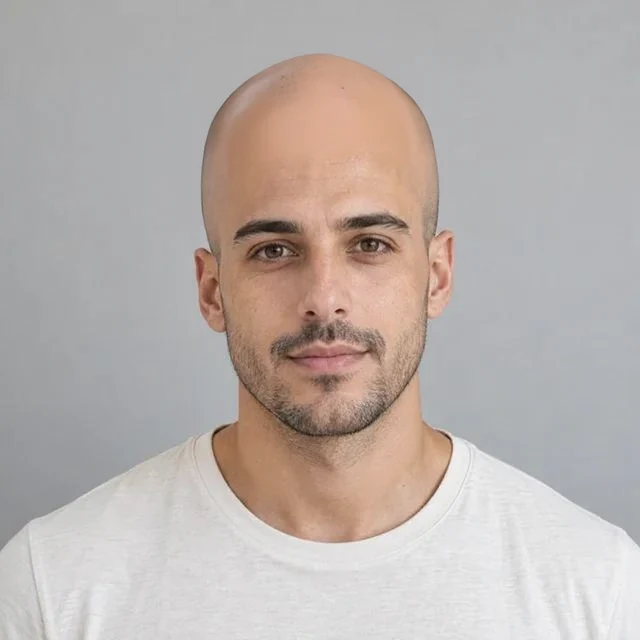

Bald
A preview with scalp hair removed.

Buzz Cut
An undercut to a close-cropped haircut.
AI-generated previews. Results on your photo will vary.
How to preview a shaved head
Use a clear, uncovered portrait. This is a visual approximation of your scalp and head shape, not an exact prediction.
- 1. Upload your photo
Choose a JPEG, PNG or WebP portrait from your device.
- 2. Choose bald or buzz cut
Choose a completely bald head or a buzz cut that leaves a short layer of hair.
- 3. Compare and download
Download the image or a Salon Card with your preview and selected styling notes.
Frequently asked questions
Is the generated head shape accurate?
The model estimates areas covered by your current hair. It cannot recover your exact scalp or head shape, so treat the result as an approximation.
How much does a hairstyle cost?
Your first successful hairstyle is free after signing in, subject to available free capacity. After that, each image costs 12 shared Image Toolkit credits. Failed jobs restore the reserved credits or first free attempt. There is no separate hairstyle subscription.
Which photo works best?
Choose a clear front-facing portrait of one person, with the hairline visible and even lighting. Upload a JPEG, PNG or WebP up to 10 MB and 4096 × 4096 pixels. Avoid hats, strong filters and hair covering the face.
Will my face stay exactly the same?
The model is designed to change hair while keeping the portrait recognizable. AI can still alter facial details, lighting or the background. Treat the result as inspiration, not a guarantee of how a real haircut or color service will look.
What happens to my photo?
Generating sends your portrait to Image Toolkit and fal for processing. Image Toolkit stores temporary files privately, removes the input after successful processing, and makes results available for 24 hours before scheduled cleanup. You can delete a finished result sooner. fal has its own retention practices; we do not promise zero storage or no training across the entire provider chain.
What is included in a Salon Card?
A downloadable PNG with your preview, selected hairstyle, intended length, bangs, texture, color and styling notes. These notes come from the selected preset; they are not a measurement of your hair or an analysis of the generated image. Discuss them with your stylist.
Can I compare and keep my favorites?
Keep up to four generated looks alongside your original in this browser tab. Your comparison photo is also saved in this browser for recovery; you can clear it through your browser's site-data settings. Mark favorites and download the images or Salon Cards before the 24-hour result window ends. Uploading a different portrait starts a new comparison board.