
What Is Reverse Image Search?
Learn how visual search finds related images, earlier copies and source pages, and how to verify results without overclaiming what a match proves.
Updated September 5, 2026
On this page
Search with visual evidence
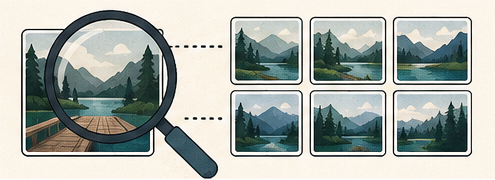
Reverse image search uses an image, rather than only typed words, to find visually related material. A service may compare shapes, local features, objects, text and learned visual embeddings against images it has indexed.
Results can include exact copies, resized or cropped variants, pages using the image, and visually similar scenes. Similarity is a lead, not proof of common ownership or origin.
What it can help you find
- an earlier published copy;
- a larger or less compressed version;
- pages that reuse an image;
- a product, landmark, artwork or plant that looks similar;
- visible words through OCR;
- alternate crops and edits.
No result does not prove that an image is original. The source may be private, blocked from indexing, recently published or stored in a service the search provider does not cover.
Prepare more than one query
Start with the complete image. Then try focused crops:
- the main subject without borders or interface chrome;
- a distinctive logo, object or landmark;
- visible text;
- a background detail that may identify location;
- the image with a large added caption removed.
Do not crop so tightly that all context disappears. Exact matching may benefit from the full frame, while object identification may benefit from a focused crop.
Use normal search alongside visual search
Read visible signs, labels, uniforms and architecture. Search those details as text together with a plain description. If OCR finds a phrase, place it in quotation marks. A combined visual and textual investigation is usually stronger than either method alone.
Check chronology carefully
The oldest result in one search engine is not automatically the original. Page dates can represent an update, migration or crawl rather than first publication.
Look for:
- publication timestamps supported by page context;
- higher resolution or uncropped versions;
- author names and portfolio history;
- consistent captions across reputable sources;
- archived pages when available;
- metadata, while remembering that metadata can be removed or edited.
Verify what a match actually proves
An exact pixel match strongly connects two files, but it does not tell you who owns the image. A visually similar result may only show the same subject from another photographer. Do not identify a person, location or creator from one algorithmic suggestion without independent evidence.
When attribution matters, follow the result to the hosting page and locate a clear creator statement or licensing record. A page embedding an image is not necessarily its source.
Privacy considerations
Using a cloud visual search normally uploads the query image to that provider. Review its privacy policy before submitting sensitive photographs, IDs, private interiors or client material. Crop to the minimum necessary region and remove metadata when it is not needed.
For confidential work, use an approved service or local analysis workflow.
A practical verification workflow
- Save the original file and record where you received it.
- Run a full-image search in more than one index.
- Try two or three meaningful crops.
- Search visible text and distinctive details normally.
- Open promising pages and compare resolution, crop and dates.
- Find an explicit creator or license statement.
- Record uncertainty instead of forcing a conclusion.
Reverse image search is most useful as an investigative starting point. Its value comes from the follow-up work: comparing context, checking dates and finding a source that can support the claim you want to make.