

Tools 8 min
ImageMagick Quick Guide
Use ImageMagick to inspect, resize, convert and batch-process images with repeatable commands and safer output habits.
Try it now · Convert
Guides to image formats, compression, metadata, editing and accessibility.
Use ImageMagick to inspect, resize, convert and batch-process images with repeatable commands and safer output habits.

Prepare a strong source, create a transparent cutout, inspect difficult edges and export the right file for product, portrait or design work.

Learn how masked generative editing replaces selected pixels, how to write a useful instruction, and why the result is reconstruction rather than recovery.

Compare a configurable open model ecosystem with a managed creative service by control, setup, privacy, repeatability, cost and workflow fit.
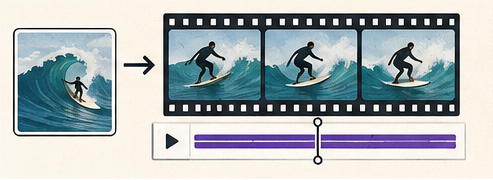
Prepare a strong source frame, describe camera and subject motion clearly, and review identity, geometry and continuity before sharing a generated clip.

Learn how visual search finds related images, earlier copies and source pages, and how to verify results without overclaiming what a match proves.